When managing a TikTok profile, few things are more frustrating than entering a new username only to receive an error stating you cannot change it yet. Many users refer to this as the "7-day limit" or "30-day limit." Understanding why these cooldown timers exist and how TikTok enforces them helps you plan your profile updates smoothly without getting locked out of your preferred branding.
Why Does TikTok Enforce Cooldown Timers on Names?
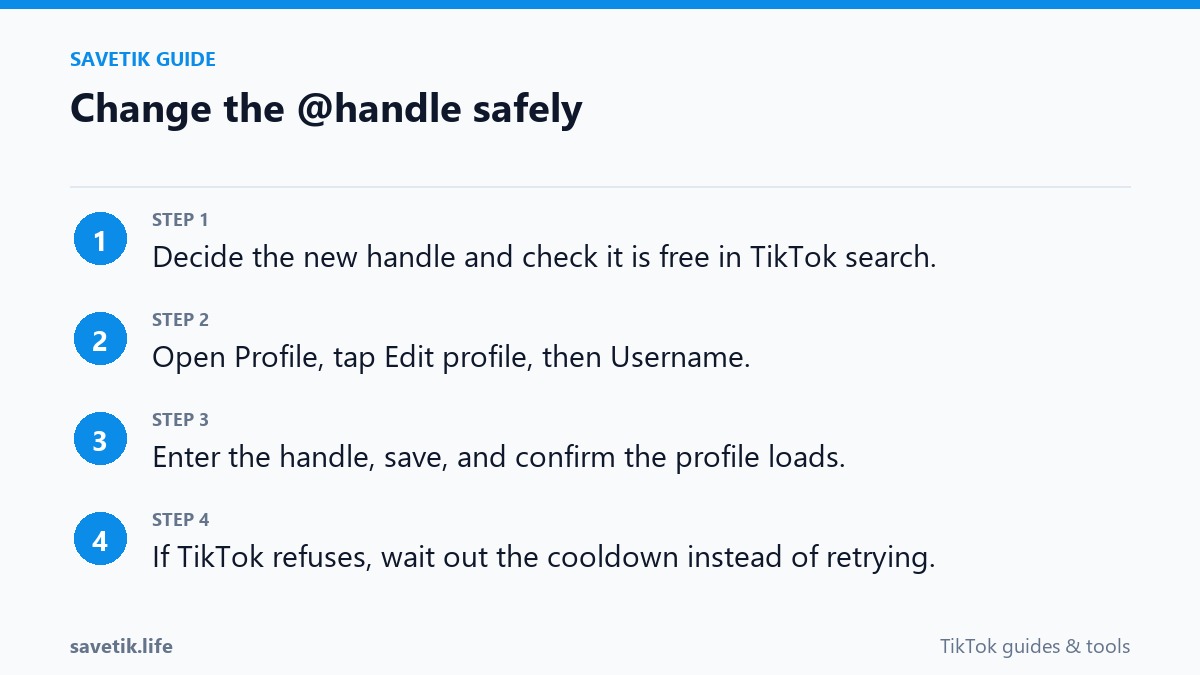
TikTok enforces strict waiting periods on profile identity adjustments for several security and operational reasons:
- Preventing Impersonation and Scams: Rapid name changes are frequently used by bad actors to mimic trending creators, confuse audiences, or execute phishing schemes. Cooldown timers dramatically reduce account impersonation risks.
- Maintaining Database and Link Integrity: Each username change updates internal routing tables and search indexes worldwide. Limiting changes reduces strain on server infrastructure and prevents broken notification chains.
- Protecting Community Trust: Consistency in usernames helps followers easily recognize creators across comments, duets, and search results.
The Exact Rules: 7 Days for Display Names, 30 Days for Handles
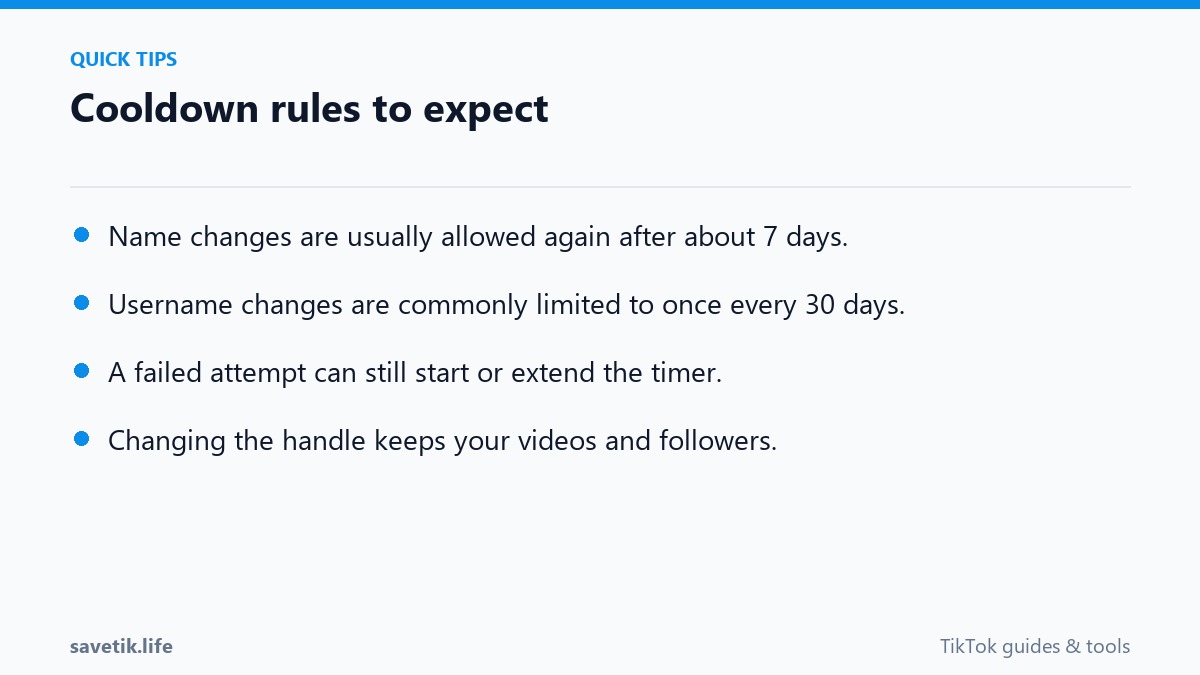
TikTok applies two distinct cooldown schedules depending on which attribute you are updating:
- Display Name (Nickname): 7-Day Limit. You can change the visible nickname on your profile once every 7 calendar days. If you made a minor typo in your display name, you only need to wait one week before correcting it.
- Username (@handle): 30-Day Limit. Your unique account handle (the one used in
tiktok.com/@yourhandle) can only be altered once every 30 calendar days. Once you tap Save, the 30-day countdown begins immediately.
Can You Bypass the 30-Day Username Cooldown?
There are numerous online tutorials claiming you can bypass TikTok's 30-day username cooldown by altering your phone's date and time settings or reinstalling the application. It is important to know that these workarounds do not work. TikTok validates account timestamps on central cloud servers, not on your local device clock. Changing your phone's system time will not fool the server and may disrupt other device functions like security certificates and messaging.
The only legitimate way to request an early username adjustment is by contacting TikTok Support through the in-app Report a Problem form under Account Settings, explaining a compelling reason such as legal trademark conflicts or accidental typos on a newly registered business account.
Checklist Before Updating Your Username
Because you must live with your chosen handle for at least 30 days, run through this quick checklist before confirming:
- Double-check spelling: Ensure there are no accidental keystrokes or transposed letters.
- Check cross-platform availability: Verify that the same handle is available on Instagram, YouTube, and X for consistent branding.
- Preserve key videos: Before altering your public profile URL, use SaveTik to back up your top-performing video clips to your local drive for safe record-keeping.
Strategic Rebranding: Managing Transitions During Cooldowns
If you plan to execute a comprehensive rebrand across multiple social channels, coordination is key:
- Secure Handles Simultaneously: Before confirming your new username on TikTok, verify that the identical handle is available on YouTube, Instagram, X (Twitter), and Twitch. Registering the handle across all platforms simultaneously prevents squatters from taking your name on other networks.
- Notify Your Audience in Advance: Post a short announcement video 24 to 48 hours prior to changing your handle so regular viewers anticipate the new name in their feeds.
- Update Link-in-Bio Services: Services like Linktree, Beacons, or personal portfolio sites must be updated immediately following the change to ensure incoming traffic routes seamlessly.
Frequently Asked Questions About Handle Limits
Does verified badge status affect the 30-day username cooldown?
Verified accounts (blue checkmark) face stricter rules: changing your username will immediately revoke your verification badge until you submit a re-verification request to TikTok Support.
Can TikTok Support override the 30-day limit for general users?
In standard circumstances, support representatives cannot manually reset the 30-day cooldown timer. You must wait for the automated 30-day window to lapse.
Best Practices for Managing Multi-Account Profiles
If you operate multiple brand or backup accounts on TikTok, handle username adjustments systematically:
- Document Expiration Dates: Keep a shared spreadsheet tracking exact cooldown dates for each handle across all secondary channels to avoid premature change attempts.
- Test Usernames on Web First: Check handle availability on desktop web browsers before initiating a formal update inside the mobile app to verify real-time status.
- Maintain Verification Requirements: For verified business profiles, submit official brand documentation in advance through TikTok for Business portals before updating account handles.
- Secure Two-Factor Authentication: Whenever updating core account credentials or handles, verify that your two-factor authentication (2FA) phone number and backup email are active.